


Installing WordPress for Localhost
1. Download XAMPP here.
2. Follow instructions for installation here.
3. Open web browser and insert this URL http://localhost/phpmyadmin/.
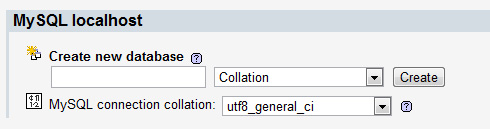
4. Create a new database.
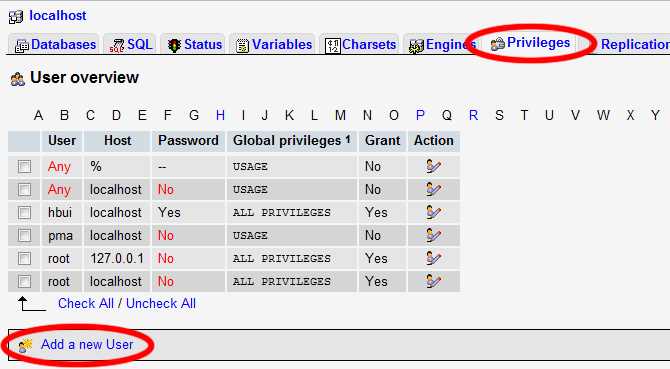
5. Select “Privileges” tab and Add a new User.
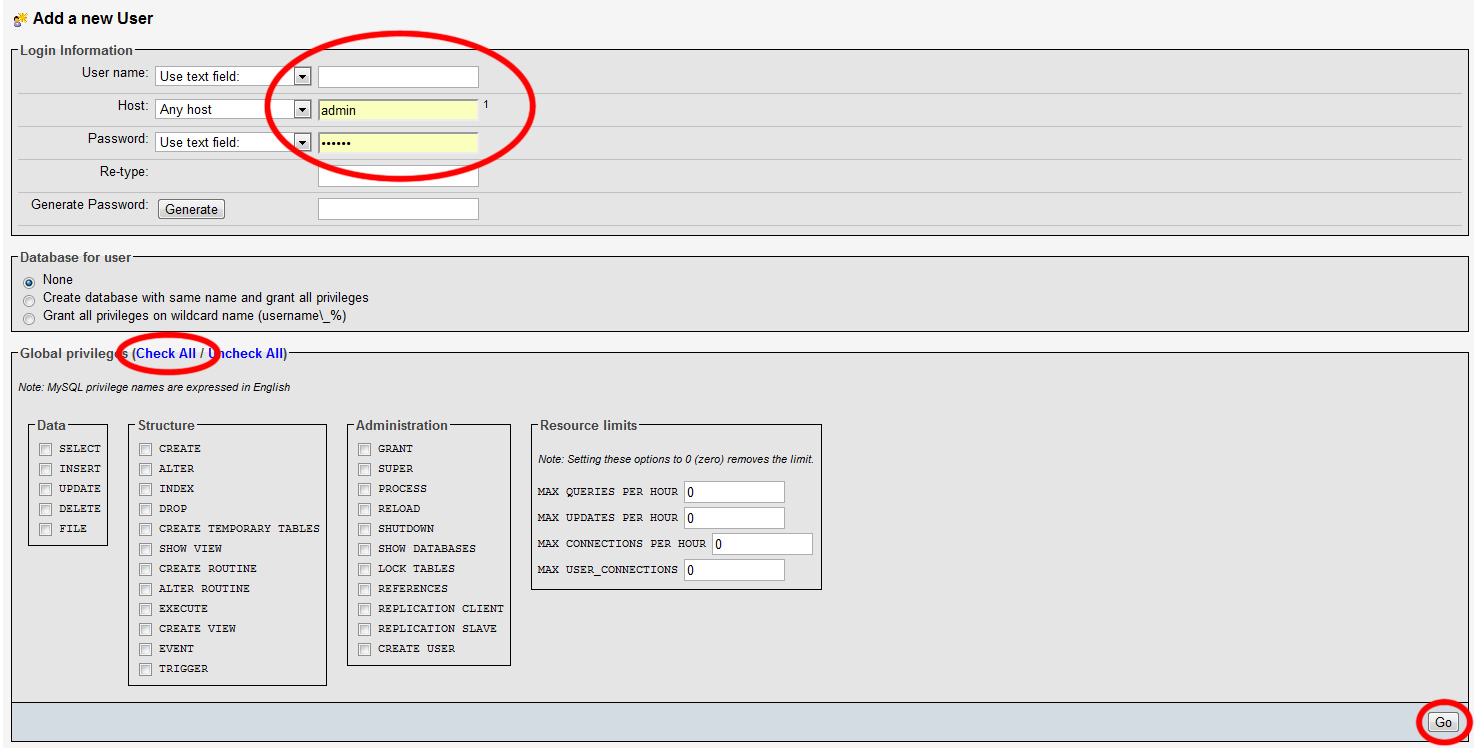
6. Create login information, select Check All, and click Go.
7. Take note of the database information. Exit the browser.
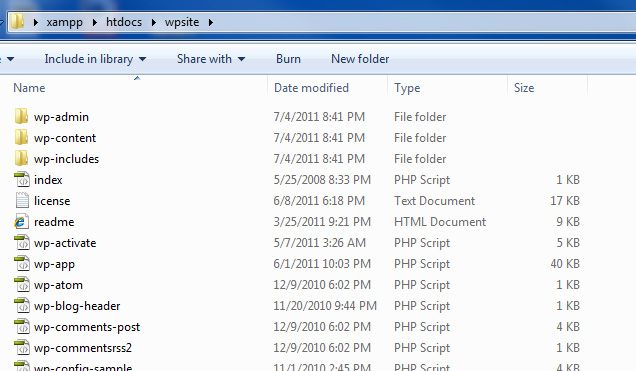
8. Within the XAMPP/htdocs folder, create a new folder name “wpsite”.
9. Download WordPress from here.
10. Extract the files into XAMPP/htdocs/wpsite/
11. Open web browser and insert this URL http://localhost/wpsite/
12. “Create a Configuration File” and “Let’s Go!”
13. Connect to the database using the information from step 7 and submit.
14. “Run the install.”
15. Fill out the information needed and enjoy for new site!
Leave a Reply
You must be logged in to post a comment.